Flat Transform is one of the strongest structure-level protections in JavaScript Obfuscator. It breaks logic apart and reorders it so the execution flow is much harder to follow by inspection.
What it changes
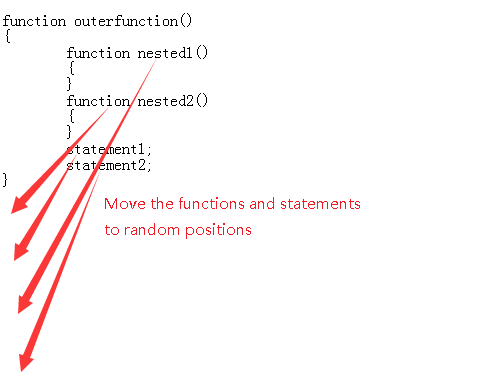
This mode splits statements as aggressively as possible and moves them into a less readable arrangement. It also works well with nested-function movement, which means the final file no longer preserves the comfortable visual order of the original source.
When to use it
- When you want a stronger result than basic name replacement alone.
- When you are willing to test output carefully for compatibility and performance.
- When protecting production code matters more than keeping the transformed file compact or easy to troubleshoot.
Visual reference
Recommendation: Flat Transform is powerful, but it should be enabled only after you have already validated your project with the lighter obfuscation options.